
Patients check you out before they call. They search your name, land on your practice website, and look for one thing above all: a reason to trust you. A verified badge is one of the fastest ways to give them that reason.
This guide explains why proof of verification matters so much right now, which badges are worth showing, and how to add your DoctorDirectory.ai badge to your site in about two minutes.
Why patients look for proof
Patients have never had more choices or more reasons to be careful. Health advice online is full of confident voices selling supplements, peptides, and "secret" cures. Many patients now want to know, before they book, that a clinician is licensed, board certified, and follows the evidence.
- 93% of adults say board certification matters when they choose a doctor, in a 2025 NORC survey for the American Board of Medical Specialties.
- 72% of health care consumers use Google to find a provider, according to Press Ganey's 2025 consumer report.
- 9 in 10 say accurate online information about a provider is a top priority, and nearly half walk away when it is missing or out of date (Press Ganey, 2025).
Put those together and the picture is clear. Patients are deciding online, and they are looking for proof. If your website says nothing about verification, a careful patient has to take your word for it, or go find someone who shows the proof.
What the DoctorDirectory.ai badge tells a patient
Our badge is not a "top doctor" award and it is not for sale. It means a clinician passed every check in our vetting:
- A license verified against the national registry, and active in the states where they practice.
- Board certification confirmed.
- Every state medical board searched for discipline.
- Court records and FTC filings checked.
- Their own website, social media, and public posts reviewed for anti-vaccine claims, unproven treatments, and products sold outside the evidence.
- A physician making the final call, and checks repeated after listing.
Vetting is free and cannot be bought. That is exactly why the badge carries weight.
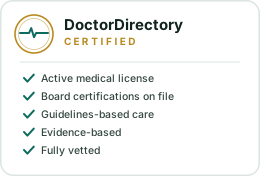
A badge that cannot be faked or kept after it is earned
Anyone can paste a seal image on a website. Ours works differently. The badge image is served live from DoctorDirectory.ai, and it links to your verified profile. If a listing ever stops being active, the badge stops showing. So a patient who clicks it sees your real, current profile, and a badge on someone else's site cannot outlive their vetting. That is what makes it worth trusting.
It helps your search rankings too
Every badge links your website to your DoctorDirectory.ai profile, and your profile links back to your website. Those links help Google connect the two pages as the same trusted clinician. Your profile also carries structured data that tells Google who you are, where you practice, and what you treat. DoctorDirectory.ai already has more than 1,700 doctor profile pages averaging a first-page Google position, so your verified profile is a page that works for you in search.
Google decides its own rankings, and no one can promise a position. But clear, consistent proof of who you are is exactly what Google looks for in health content.
Show every real verification you have
One badge is good. Several real ones are better. Patients trust what they can check, so show every genuine, verifiable credential you hold:
- Your DoctorDirectory.ai verified badge, linked to your profile.
- Board certification, with a link to your board's public verification page.
- Your state license, with a link to the state board's license lookup.
- Fellowships and society memberships you have earned, like FACC or FACP.
- Hospital and health system affiliations.
One caution: skip awards you paid for. Patients and journalists increasingly know that some "top doctor" lists are sold, and a bought award can cost you more trust than it earns. The best badges are the ones a patient can click and check.
Where to put it
- Your bio or "About the doctor" page. The card style lists the checks you passed and fits naturally next to your training.
- Near your name and credentials on your home page.
- Your site footer, so it appears on every page. The compact or bar style works well here.
- Your email signature and online booking pages.
How to add your badge in two minutes
- Sign in and open the badge page in your dashboard.
- Pick a style (round seal, shield, ribbon, stamp, bar, compact, card, or wordmark) and a color.
- Copy the code and paste it into your website. It works in WordPress, Squarespace, Wix, and any site that accepts HTML.
Not listed yet? Check if you are listed and claim your free profile. Once you pass vetting, your badge is ready.
Common questions
Does the DoctorDirectory.ai badge cost anything?
No. Vetting is free, and every vetted clinician gets the badge at no cost. No one can pay to be listed or to skip a check.
What happens to my badge if my listing changes?
The badge is served live from DoctorDirectory.ai. While your listing is active, it shows. If the listing is ever no longer active, the badge stops showing, so it always reflects your current status.
Will a badge help my website rank on Google?
It links your site to your verified profile, which helps Google connect the two and understand who you are. Google decides rankings, so no one can guarantee a position, but consistent, verifiable information about you is a strong signal.
Which badge style should I use?
Use the card style on your bio page because it lists the checks you passed. Use the bar or compact style in a footer or sidebar, and the round seal beside your credentials.
Can I show other verifications next to it?
Yes, and you should. Show board certification, your state license lookup, fellowships, and hospital affiliations. Skip paid awards that patients cannot check.